
Traxpend for Android & web
Track spending. Split bills.
Traxpend is an expense tracker and bill splitter for Android and web. Track your own spending and split shared bills without linking a bank account.

Say it. Track it.
Say “Coffee, ₹240,” review the expense, and save it to your personal ledger with Traxpend Pro.
See where it went.
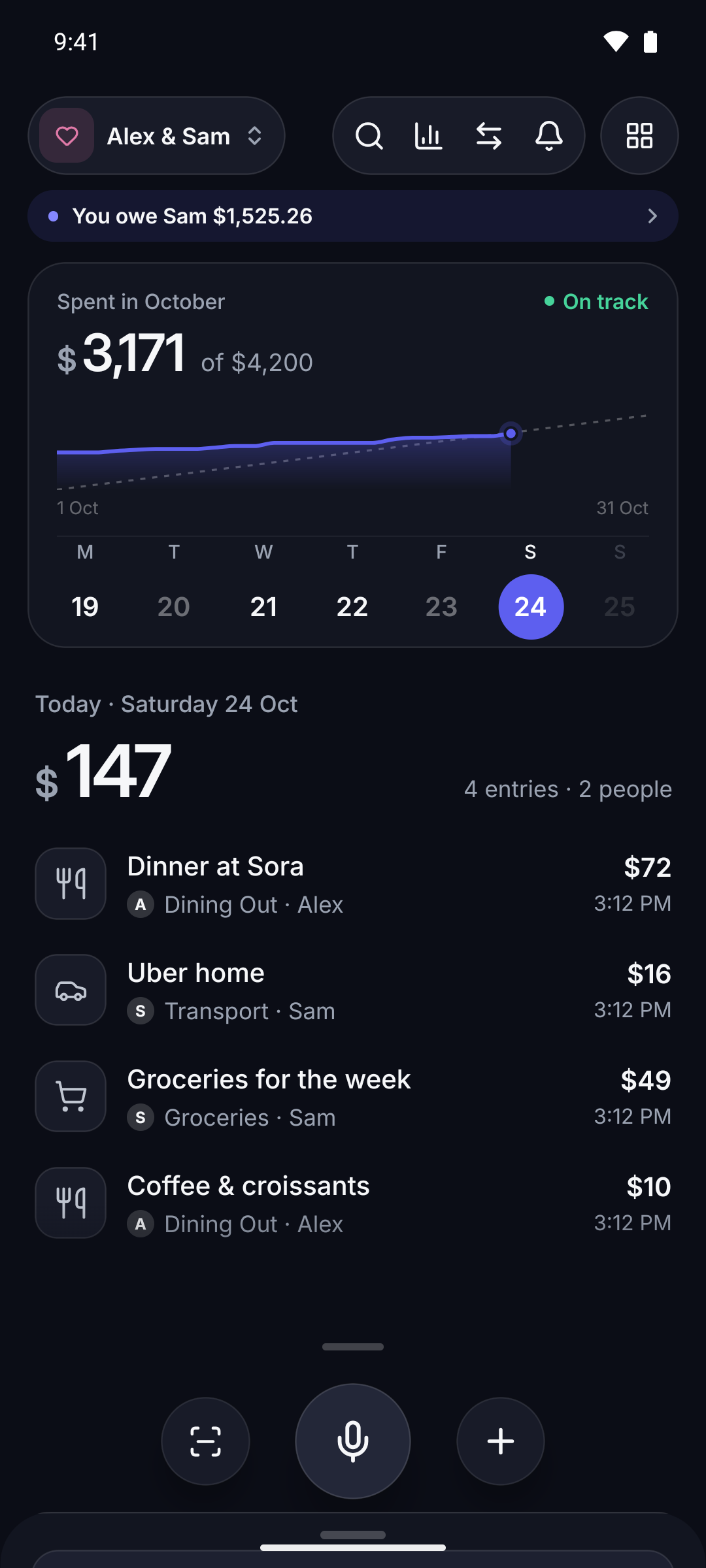
See what’s left in your budget. Open Dining out to find the coffee you just logged.
Give the trip its own space.
Switch from your private ledger to Goa weekend, where the group has its own expenses and budget.
Scan the dinner bill.
Traxpend reads the receipt and fills in the amount and category for you to review.
Settle up after the trip.
See who owes whom after the trip and record the ₹400 you paid back to Maya.
What you can do with Traxpend
Log expenses by voice or receipt
Say “240 rupees for coffee” or take a photo of a receipt. Traxpend fills in the expense details for you to review and save. Voice logging is part of Pro.
How voice logging worksTrack personal spending and budgets
Use your private Personal space to log expenses, set category budgets, and see where your money went each month.
Explore budgetsSplit bills and settle up
Create a shared space for a trip, your household, or your roommates. Record who paid, split the costs, and see who owes whom before settling up.
Explore shared spacesYour spending. In your pocket.
Download Traxpend free on Google Play. Track your own expenses and split what you share.
On iPhone or iPad, open traxpend.com in Safari, tap Share, and choose Add to Home Screen. See install instructions.
Is Traxpend the right expense tracker for you?
Traxpend is a good fit if you want one app for private spending and shared bills, with control over which expenses you record.
- Personal and shared expenses
- Keep your own transactions in a private Personal space. Invite people to a separate space for a trip, household, or shared rent. Each space has its own ledger and balances.
- Capture and offline use
- Enter expenses manually, scan receipts, or log by voice with Pro. Manual entries in the Android app sync when you reconnect. Voice and receipt processing need internet access.
- Free plan limits
- The Free plan includes unlimited manual expenses, 3 category budgets, 3 months of history, and 3 receipt scans a month. Pro adds full history, voice logging, and unlimited budgets and scans.
Traxpend download FAQ
Compare Free and ProWhere can I download Traxpend for Android?
Get Traxpend from Google Play. You can also scan the QR code on this page with your Android phone to open the same store listing.
Can I use Traxpend on iPhone or a computer?
Yes. Use Traxpend at traxpend.com in your browser. On iPhone or iPad, open the site in Safari and use Share → Add to Home Screen to install the web app.
Is Traxpend free to use?
Yes. The free plan includes unlimited manual expenses, shared balances and settle-up, and 3 receipt scans a month. Pro adds voice logging, unlimited receipt scans, and full transaction history.
Can I track my own expenses and split bills with friends?
Yes. Keep your own expenses in your private Personal space, and create separate shared spaces for trips, rent, or household bills. Each shared space has its own expenses and balances.
Can I track expenses without linking a bank account?
Yes. Traxpend works without bank linking and never asks for your bank credentials. You can enter expenses manually, scan a receipt, or log by voice with Pro.
Can I log expenses offline on Android?
Yes. The Android app queues manual expenses while you are offline and syncs them once you reconnect. Voice processing and receipt scanning require internet access.